What's New
Product updates, improvements, and fixes from the Wauld team.
Customize credential notification emails to match your brand
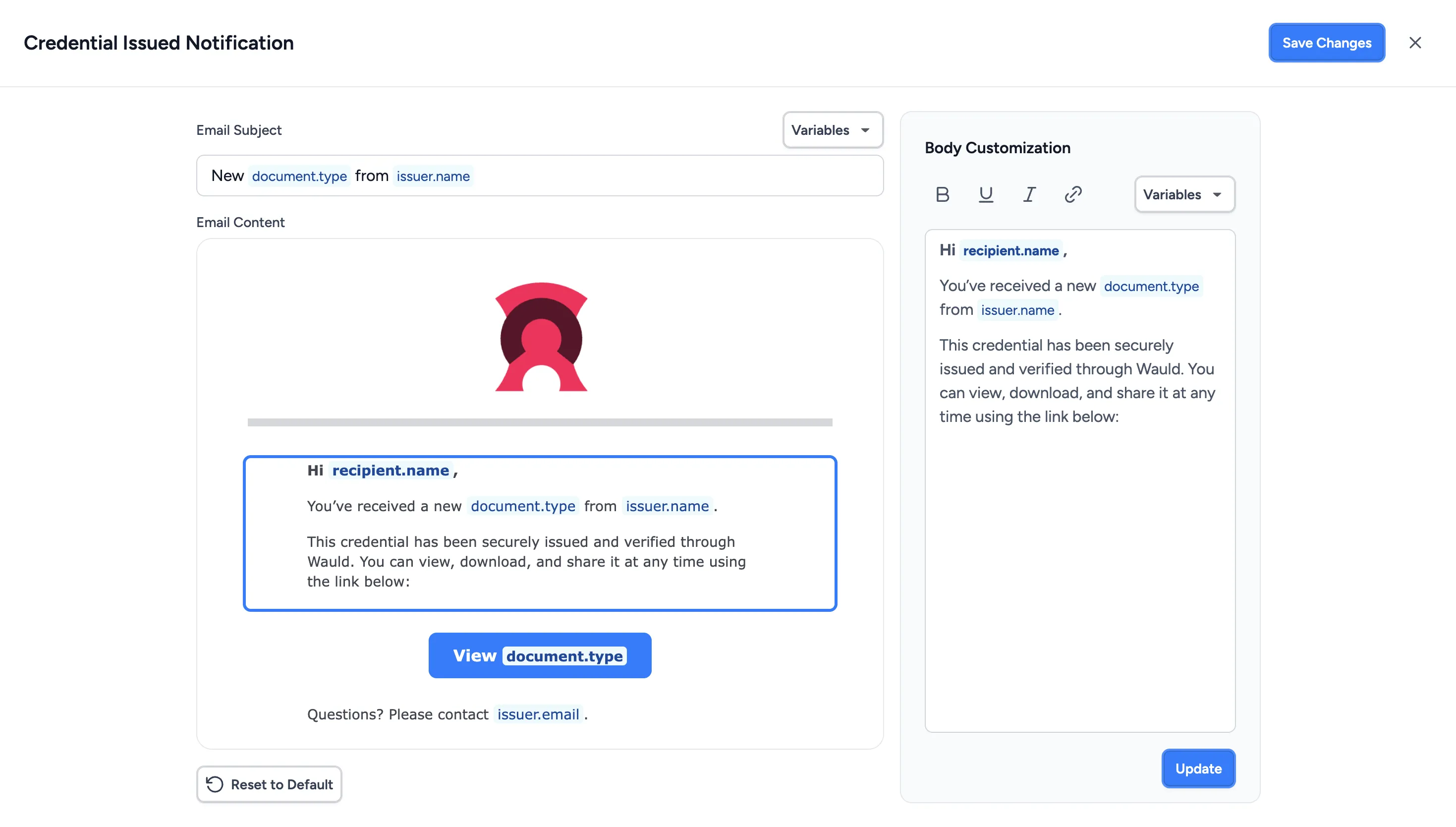
Verified organizations can now customize the notification emails Wauld sends to recipients on their behalf, giving you more control over the communication that surrounds every credential you issue.
You can tailor the subject and message content, adjust visual elements such as the header and credential button, and include your organization's social media links. This makes it easier to keep credential emails consistent with your brand and the tone you already use when communicating with learners, members, employees, or other recipients.
Email content can also include dynamic information such as the recipient name, document name, credential ID, issuance or expiry date, and issuing authority. Wauld automatically replaces these details for each recipient when the notification is sent, so you can create a personalized experience without maintaining separate email templates.
What this means for you:
- Extend your organization's branding beyond the credential itself and into recipient communications
- Create more relevant and personalized messages for each credential recipient
- Keep credential notifications consistent with your organization's tone, identity, and communication style
- Give recipients a more cohesive experience from the moment their credential reaches their inbox
Send notification emails from your own domain
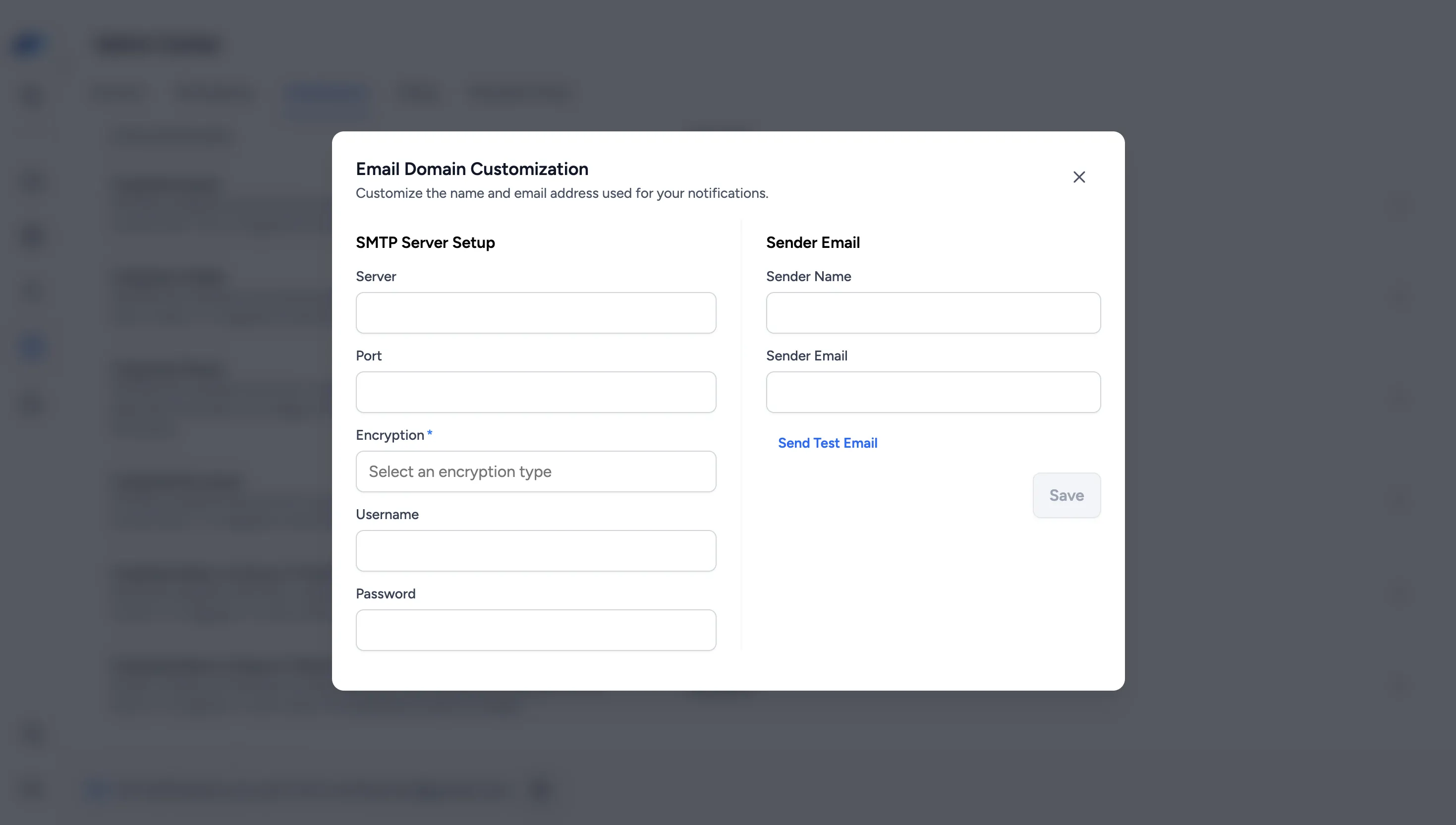
Verified organizations can now configure Wauld notification emails to be sent using a custom Sender Name and Sender Email of their choice.
Co-owners can configure this from Admin Center → Notifications → Settings → Connect My Domain by connecting their SMTP server and entering the sender details they want to use. A test email can then be sent to confirm the configuration is working correctly. Once the test is successful, the custom sender configuration is activated for future notifications.
If the SMTP connection becomes unavailable, Wauld automatically falls back to notifications@wauld.com so notifications can continue to be delivered. You'll be notified that the connection needs attention and can re-authenticate it from the same settings.
What this means for you:
- Send credential notifications using a custom sender email of your choice
- Keep your organization's identity consistent in recipient communications
- Continue sending notifications through Wauld's default email if your custom connection becomes unavailable
Control how recipients access and share credentials
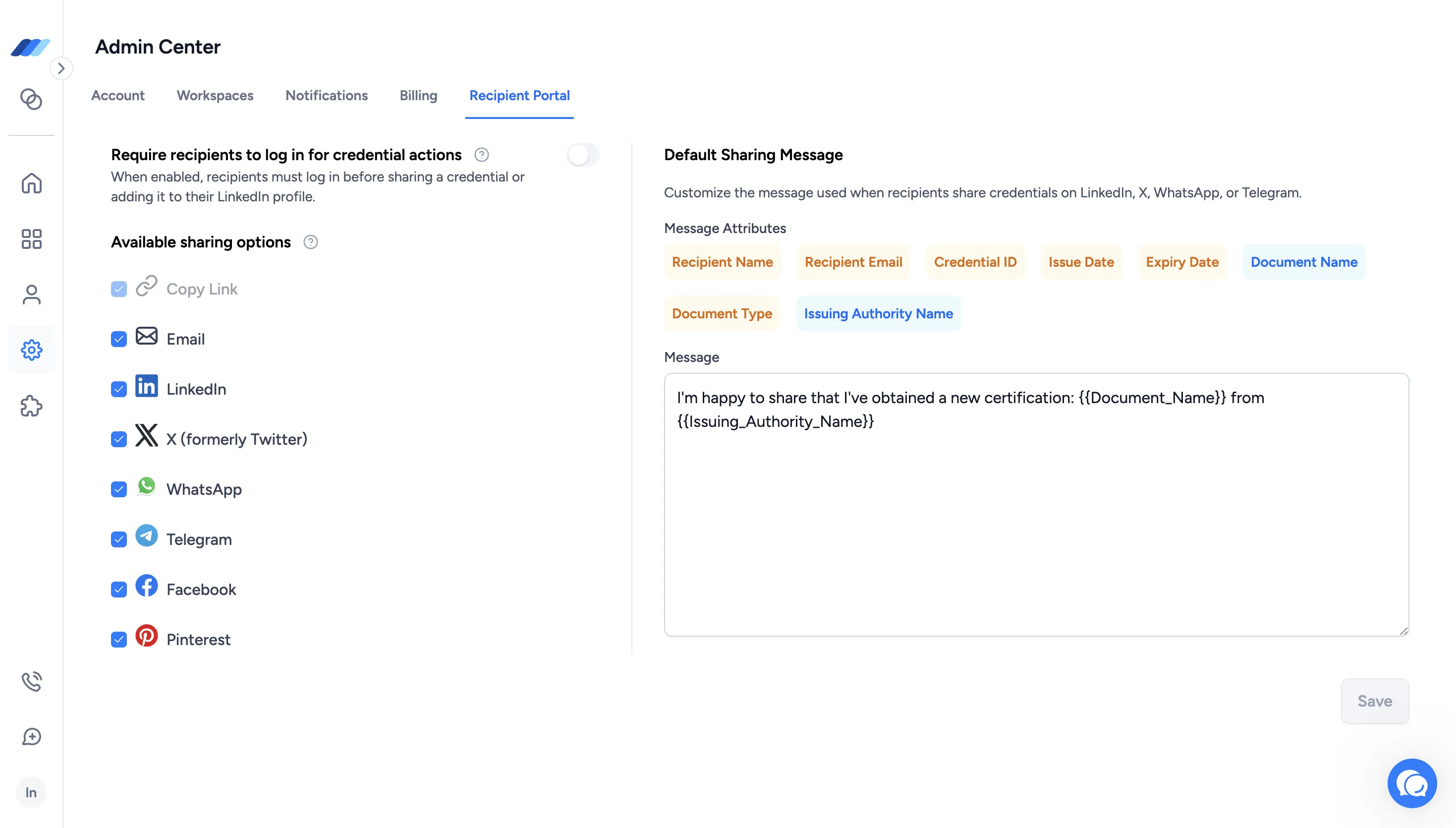
You can now manage how recipients interact with their credentials from the new Recipient Portal tab in Admin Center. These settings apply across all workspaces in your account.
You can choose whether recipients need to log in before sharing a credential or adding it to LinkedIn, and decide which sharing channels are available to them, including Email, LinkedIn, X, Facebook, WhatsApp, Telegram, and Pinterest. Copy Link remains available for every credential.
You can also customize the message recipients use when sharing credentials on supported social platforms. Add details such as the recipient name, document name, issuance date, expiry date, credential ID, or issuing authority, and Wauld automatically fills in the relevant information when the credential is shared.
Changes to these settings also apply to previously issued credentials. Credential change requests will continue to require identity verification regardless of whether recipient login is required.
What this means for you:
- Set recipient access and sharing preferences once for your entire account
- Control where recipients can share their credentials
- Create consistent, customizable social sharing messages using credential-specific information
Connect Wauld to Workato for credential workflow automation
You can now connect Wauld with Workato to automate credential workflows across the applications and systems your organization already uses.
With this integration, you can use Wauld in Workato in two ways:
- Credential Issued as a trigger, to start a Workato recipe when a credential is issued from a selected Wauld Document
- Issue Credential as an action, to issue a credential in Wauld from another application or step in your Workato recipe
The Credential Issued trigger lets you select the Wauld Document you want to monitor. When a credential is issued from that Document, Workato receives the credential, issuer, recipient, and related data so you can use it in subsequent steps of your recipe. This can be used to update records, notify teams, send credential information to another application, or start follow-up processes automatically.
The Issue Credential action works in the other direction. You can collect recipient information from another application or an earlier step in your Workato recipe and use that data to issue the appropriate credential in Wauld. When configuring the action, you can select the relevant Workspace, Engagement, and Document and map the recipient information and any applicable custom attributes.
The Wauld integration is now live on Workato and can be used to bring credential issuance and post-issuance activities into your existing Workato recipes.
Connect Wauld to OttoKit for credential workflow automation
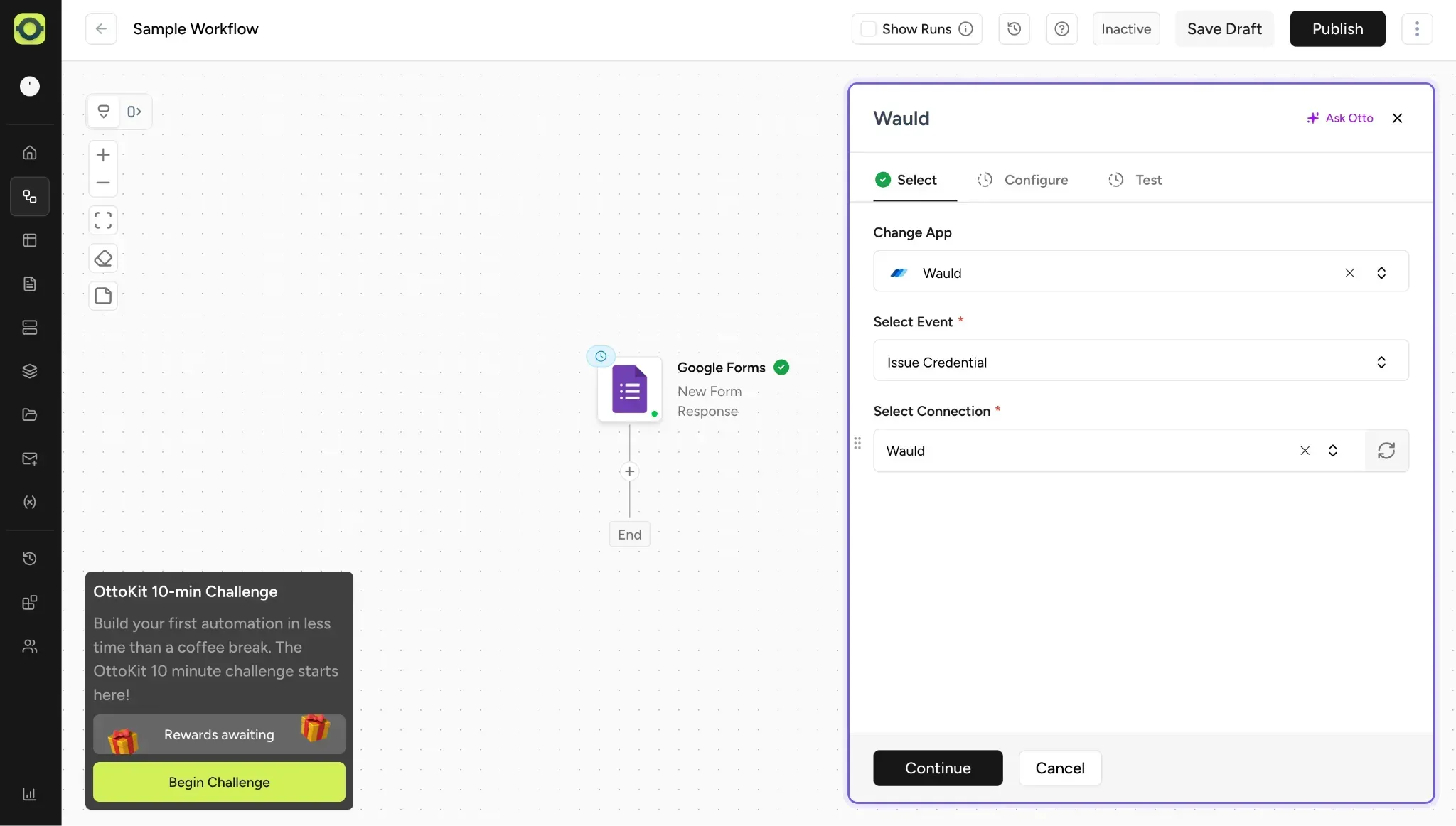
You can now automate credential workflows between Wauld and your other apps through OttoKit.
This integration works in two directions:
- Credential Issued as a trigger, to start an OttoKit workflow when a credential is issued in Wauld
- Issue Credential as an action, to issue a credential in Wauld from a step in your OttoKit workflow
The Credential Issued trigger fires when a credential is issued in Wauld and passes credential, issuer, recipient, and related data into your OttoKit workflow. You can use that data to send information to another app, update a database, notify a team, or trigger follow-up actions.
The Issue Credential action lets another app or workflow step pass recipient data into Wauld and issue a credential. For example, you can collect information from a form, payment, or another platform earlier in the workflow, then use that information to issue a credential in Wauld at the right point.
Visit the Wauld OttoKit integration page to see the workflows you can build. OttoKit supports 1,500+ apps, including LearnDash, TutorLMS, WooCommerce, Google Sheets, Gmail, and Slack. The OttoKit integration is available on all Wauld plans, including the Free plan.
Copy the design of an existing document when creating a new document
You can now start a new document from the design of one you've already built.
Copy the design of an existing document when creating a new document
You can now start a new document from the design of one you've already built.
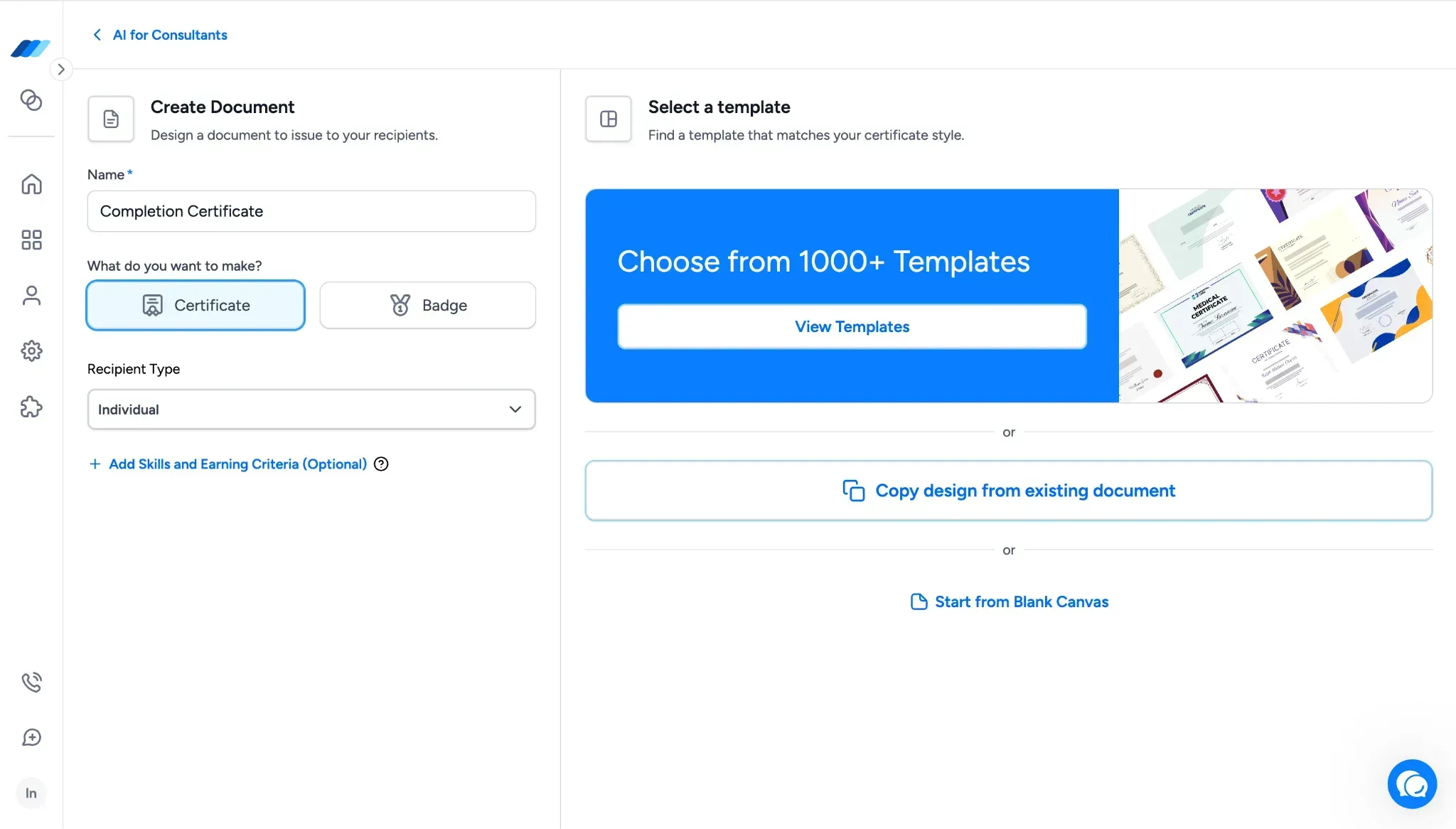
You can now start a new document from the design of one you've already built.
Inside the Create Document flow, after you select a Document Type, you'll see three design-source options:
- View Templates
- Copy Design from Existing Document
- Start from Blank Canvas
The middle option opens a Copy Document modal that lists your existing documents. Pick a source document, click Start Design, and its design opens in the Design Studio as the starting point for the new document. From there, you can adjust the design as needed and continue the rest of the document setup.
What this means for you:
- Reuse a design you've already built without rebuilding it from scratch in the Design Studio
- Keep visual consistency across related documents when running similar programs or cohorts
- Save hours of design work when launching new credentials that build on ones you've already refined
Additional updates
We also shipped smaller improvements across templates and design options:
- Expanded Template Library - the Template Library now includes 1,200+ templates, with new additions covering Forklift certifications, ISO 27001, POSH, Baptism, and other themes and use cases.
- Larger Design Studio font library - the Design Studio font library now includes 40 fonts, spanning modern, serif, display, handwritten, and decorative styles for use across different credential designs.
- More signature font styles - the Signature section now supports 20+ signature font styles, giving you more signature-like typography options when adding signatures to credential designs.
Copy a credential link directly from the Credential Audit Log
A new Copy Link button now sits inside the Credential Audit Log modal, next to Resend Credential. It copies the recipient-facing credential link to your clipboard so you can share it through email, chat, or any other channel without triggering a resend or reissue.
Copy a credential link directly from the Credential Audit Log
A new Copy Link button now sits inside the Credential Audit Log modal, next to Resend Credential. It copies the recipient-facing credential link to your clipboard so you can share it through email, chat, or any other channel without triggering a resend or reissue.
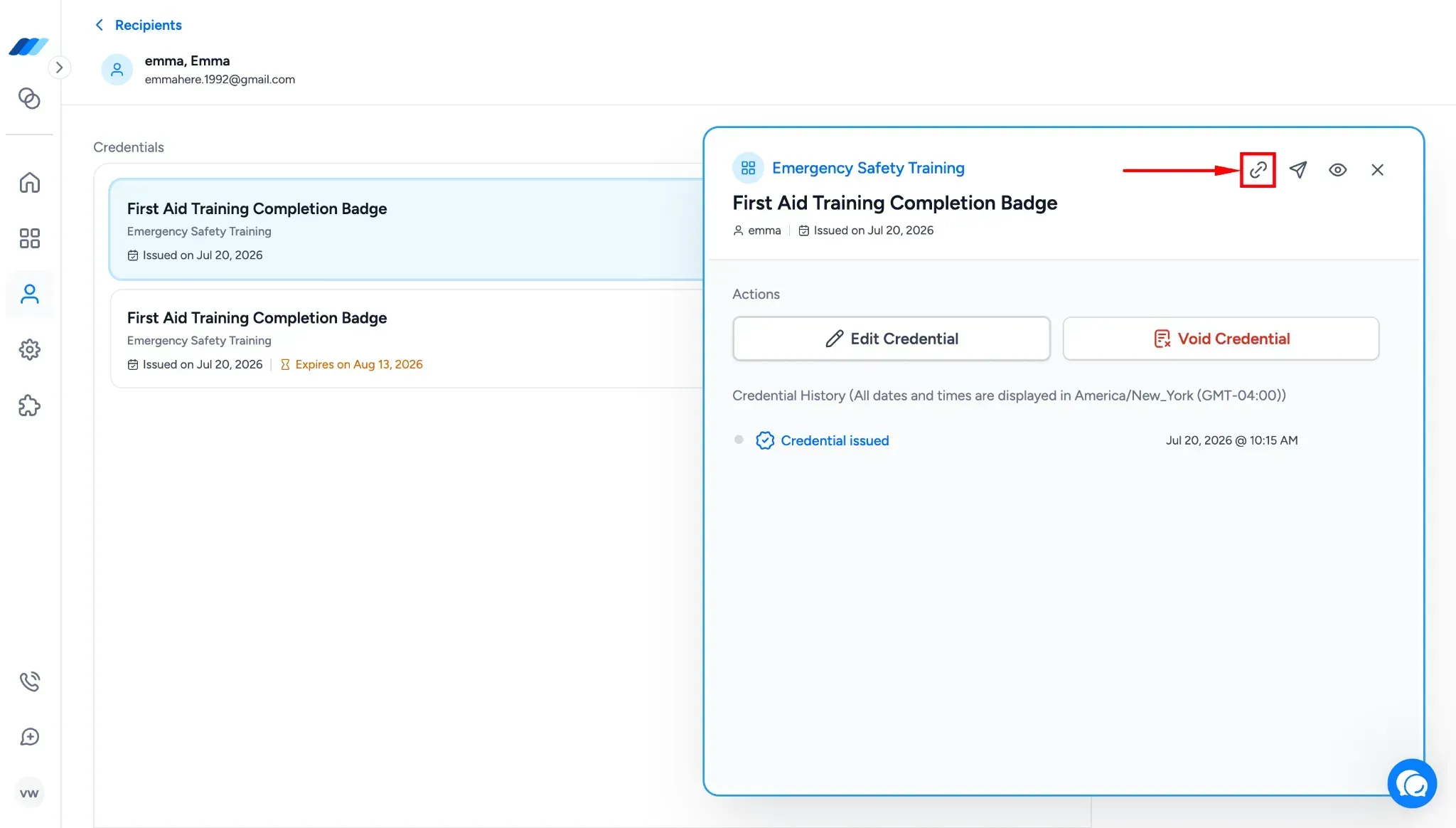
A new Copy Link button now sits inside the Credential Audit Log modal, next to Resend Credential. It copies the recipient-facing credential link to your clipboard so you can share it through email, chat, or any other channel without triggering a resend or reissue.
To find it, go to the Recipients tab, select a recipient, and open a credential. The Copy Link button appears alongside Resend Credential inside the modal. Clicking it copies the link to your clipboard without opening a new page or changing the credential.
What this means for you:
- Share a recipient's credential link through your own channels without reissuing the credential
- Recover a link quickly when a recipient can't find the original email or it landed in spam
- Skip the resend flow when you only need to send the same link again
Connect Wauld to Integrately for no-code credential automation
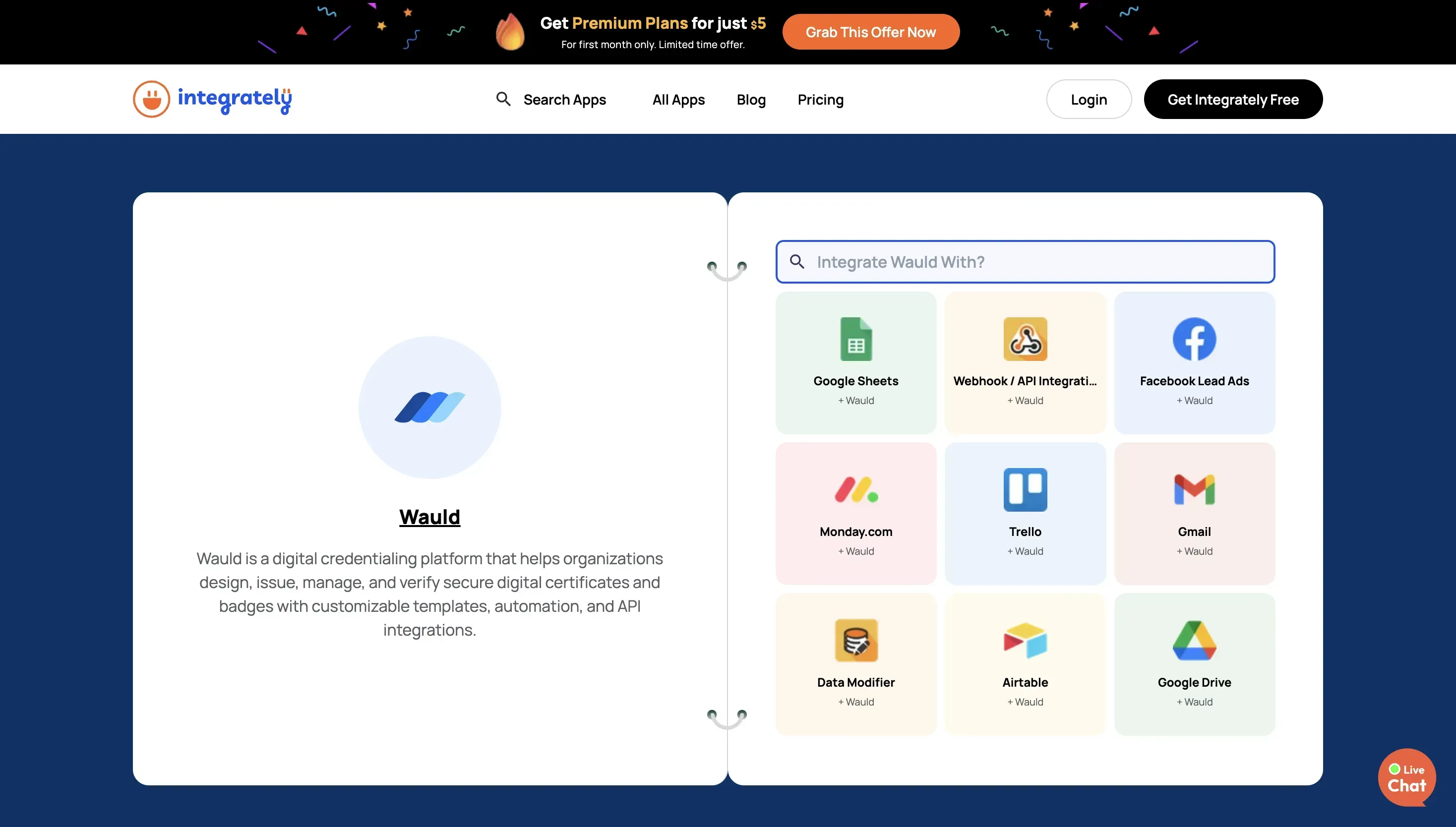
You can now connect Wauld with 1,500+ apps through Integrately, helping you automate credential-related workflows without custom development.
Connect Wauld to Integrately for no-code credential automation
You can now connect Wauld with 1,500+ apps through Integrately, helping you automate credential-related workflows without custom development.
You can now connect Wauld with 1,500+ apps through Integrately, helping you automate credential-related workflows without custom development.
With this integration, you can use activity from other tools to issue credentials in Wauld or use credential issuance in Wauld to start follow-up actions in another application. This can support workflows such as issuing a credential after a course completion, form submission, event attendance, spreadsheet update, payment, CRM status change, or another activity recorded in your connected apps.
Wauld currently supports two Integrately events:
- Issue Credential: An action that issues a credential in Wauld when something happens in another application.
- New Credential Issued: An instant trigger that starts an automation in another application when a credential is issued through Wauld.
For example, you can:
- Issue a Wauld credential when someone submits a form.
- Issue a credential when a learner completes a course or training program.
- Add issued credential details to Google Sheets for reporting.
- Send an email or team notification whenever a new credential is issued.
- Update a CRM, learner record, or internal system after credential issuance.
Integrately also provides ready-to-use automations that make it easier to connect Wauld with your existing tools. You can select an automation, connect your accounts, map the required credential and recipient information, and activate the workflow.
Visit the Wauld app page on Integrately to explore the available integrations and applications you can connect with Wauld.
Connect Wauld to Pabbly Connect for no-code credential automation
You can now use Pabbly Connect with Wauld to automate credential workflows across more of the apps and systems your team uses. With this update, you can use Wauld in Pabbly Connect in two ways:

Connect Wauld to Pabbly Connect for no-code credential automation
You can now use Pabbly Connect with Wauld to automate credential workflows across more of the apps and systems your team uses. With this update, you can use Wauld in Pabbly Connect in two ways:
You can now use Pabbly Connect with Wauld to automate credential workflows across more of the apps and systems your team uses. With this update, you can use Wauld in Pabbly Connect in two ways:
- Issued Credential as a trigger, to start a Pabbly workflow after a credential is issued in Wauld
- Issue Credential as an action, to issue a credential in Wauld from another app or workflow step
The Issued Credential trigger lets you send credential data from Wauld into Pabbly Connect when a credential is issued. You can then use that data to update records, notify a team, send information to another app, or start a follow-up process.
The Issue Credential action works the other way around. You can collect recipient data from another app - such as a form, spreadsheet, CRM, or internal workflow - and use that data to issue a credential in Wauld. This gives you another no-code way to bring Wauld into your existing workflows, especially when your team wants credential issuance or post-issuance actions to happen without manually moving data between tools.
Visit the Wauld Pabbly Connect integration page to explore available Wauld integrations, choose the tools you want to connect with Wauld, and view the workflows you can build. The Pabbly Connect integration is available on all Wauld plans, including the Free plan.
Make integration for credential workflow automation
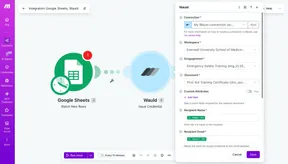
You can use Make with Wauld to connect credential workflows to other applications in your Make scenarios. With this integration, you can use Wauld in Make in two ways:
Make integration for credential workflow automation
You can use Make with Wauld to connect credential workflows to other applications in your Make scenarios. With this integration, you can use Wauld in Make in two ways:
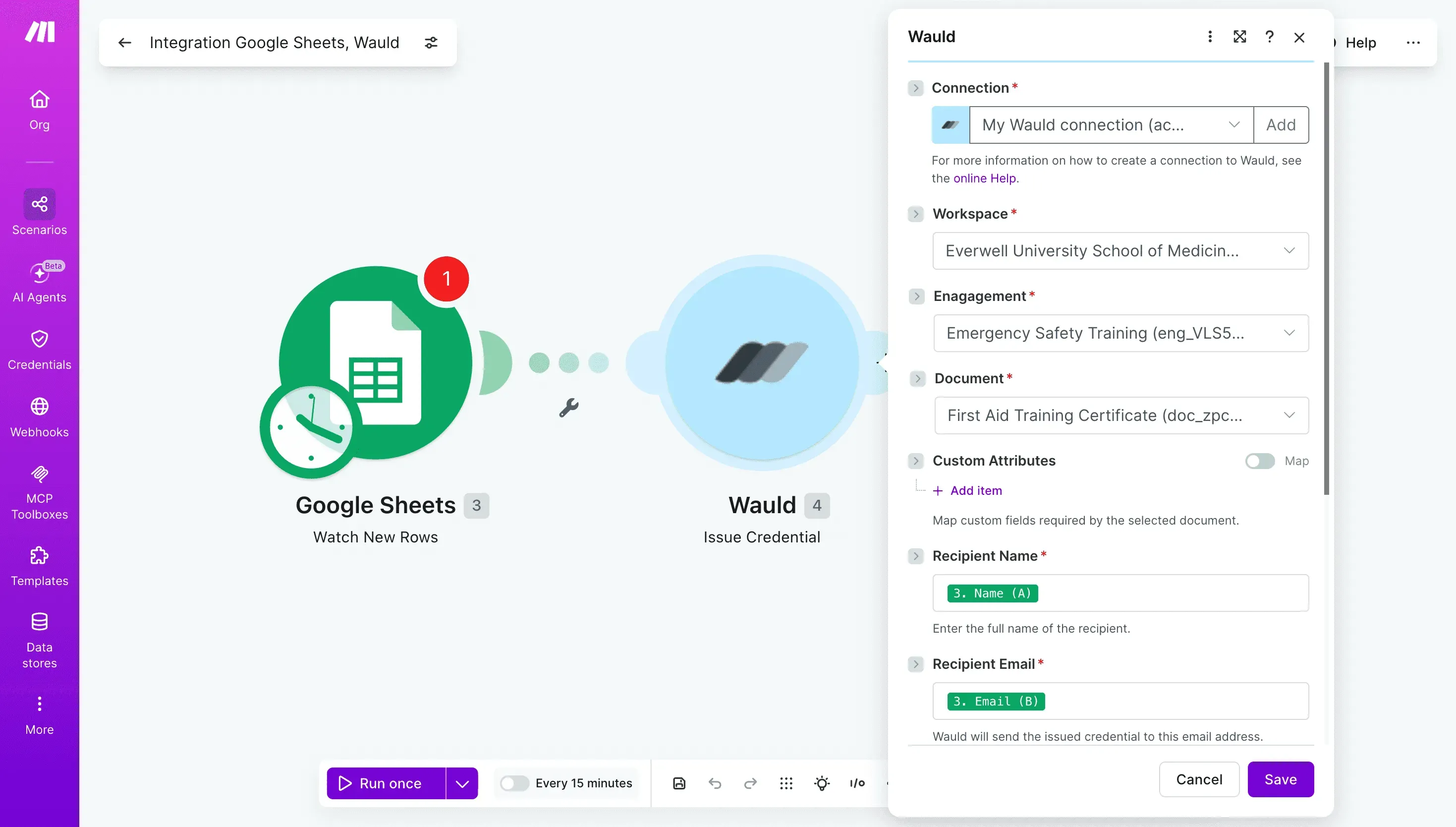
You can use Make with Wauld to connect credential workflows to other applications in your Make scenarios. With this integration, you can use Wauld in Make in two ways:
- Credential Issued as a trigger, to start a Make scenario when a credential is issued from a selected Wauld Document
- Issue Credential as an action, to issue a credential in Wauld from a step in your Make scenario
The Credential Issued trigger lets you select the specific Wauld Document you want to monitor. When a credential is issued from that Document, your Make scenario starts and receives credential, issuer, recipient, and related data. You can use that data to send information to another app, update a database, notify a team, or trigger follow-up actions.
The Issue Credential action lets another app or scenario step pass recipient data into Wauld and issue a credential. For example, you can collect information from a form or another platform earlier in your scenario, then use that information to issue a credential in Wauld at the right point in the workflow.
The Make integration will be available on all Wauld plans, including the Free plan.
Note: The Make integration is pending approval from Make and is not yet live.
To learn how to set up and use this integration, read the Wauld Make Integration Guide
Verify your organization's domain ownership through DNS
You can now complete the domain ownership step of organization verification yourself through DNS, directly from Admin Center → Account. For a step-by-step walkthrough of the verification flow, see How to do organization verification.
Verify your organization's domain ownership through DNS
You can now complete the domain ownership step of organization verification yourself through DNS, directly from Admin Center → Account. For a step-by-step walkthrough of the verification flow, see How to do organization verification.
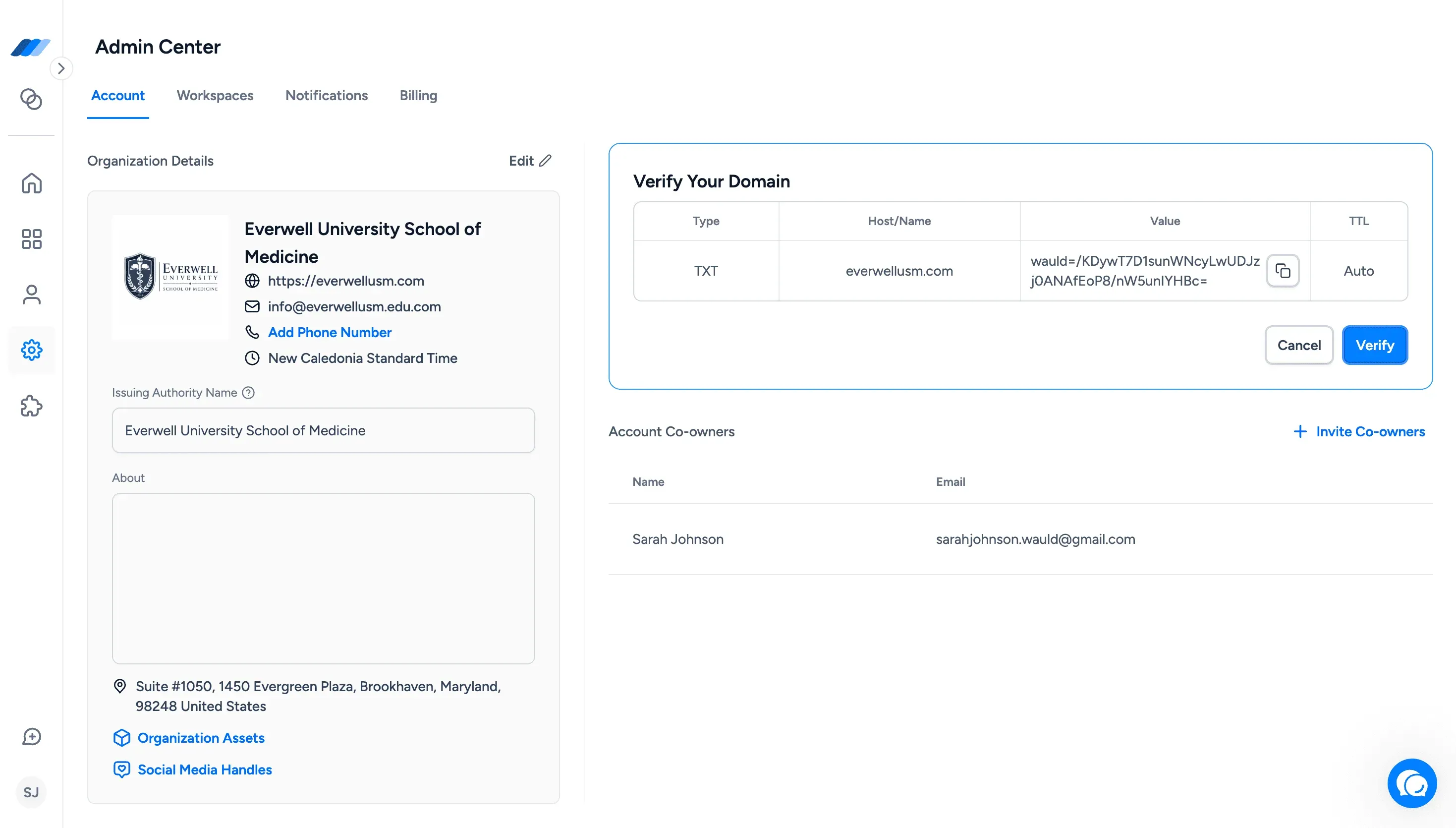
You can now complete the domain ownership step of organization verification yourself through DNS, directly from Admin Center → Account. For a step-by-step walkthrough of the verification flow, see How to do organization verification.
To get started, click the Get Verified banner in Admin Center → Account. Wauld shows you the DNS record details you need - including record type, hostname, TXT value, and TTL. Add that record through your domain registrar, return to Wauld, and click Verify. If the record is in place and publicly available, Wauld confirms domain ownership automatically. Your organization then moves to Under Review while Wauld's team reviews your organization name, issuing authority, logo, verified domain, and other public details before approving your account and assigning a Verified status and badge.
What this means for you:
- Complete the domain ownership step yourself without waiting for extended manual verification back-and-forth
- Give recipients, employers, and institutions a clear signal that credentials come from a verified source
- Find the full verification setup in Admin Center → Account under the Get Verified banner
To understand what Verified status means for your organization and the credentials you issue, read Benefits of organization verification in Wauld.
Note: The Verified badge applies only to credentials issued after your organization is approved. Credentials issued before verification are not updated retroactively.
Attach the credential PDF to the delivery email
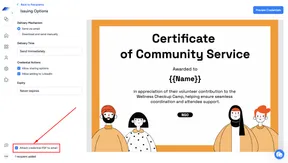
You can now include the credential PDF as an attachment in the credential delivery email. When issuing credentials, select the Attach credential PDF to email option in Issuing Options, and recipients receive both the credential access link and the attached PDF in the same email. The option is available for immediate and scheduled issuance, and also appears in the Resend Credential modal and the Edit Credential reissue flow.
Attach the credential PDF to the delivery email
You can now include the credential PDF as an attachment in the credential delivery email. When issuing credentials, select the Attach credential PDF to email option in Issuing Options, and recipients receive both the credential access link and the attached PDF in the same email. The option is available for immediate and scheduled issuance, and also appears in the Resend Credential modal and the Edit Credential reissue flow.
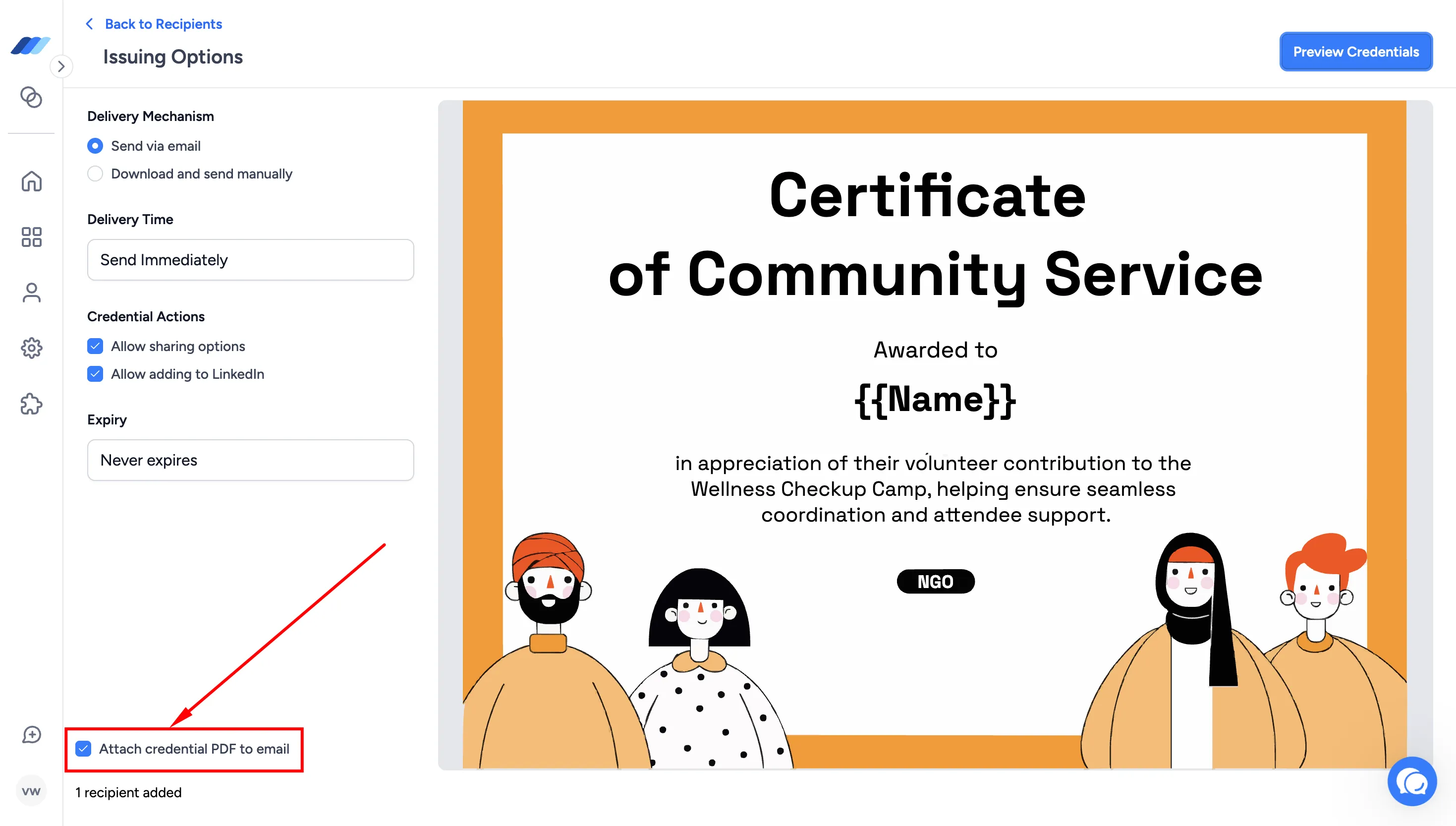
You can now include the credential PDF as an attachment in the credential delivery email. When issuing credentials, select the Attach credential PDF to email option in Issuing Options, and recipients receive both the credential access link and the attached PDF in the same email. The option is available for immediate and scheduled issuance, and also appears in the Resend Credential modal and the Edit Credential reissue flow.
What this means for you:
- Give recipients their credential PDF immediately in their inbox for formal submissions, compliance, or records
- Reach recipients whose organizations restrict external links by delivering the credential as a PDF attachment
- Stay in control of PDF delivery whether issuing, resending, or reissuing credentials
Connect Wauld with your everyday tools through Zapier
You can now connect Wauld with 9,000+ apps through Zapier, helping you bring credential issuance into the workflows your team already uses.

Connect Wauld with your everyday tools through Zapier
You can now connect Wauld with 9,000+ apps through Zapier, helping you bring credential issuance into the workflows your team already uses.
You can now connect Wauld with 9,000+ apps through Zapier, helping you bring credential issuance into the workflows your team already uses.
With this update, you can use events from other tools to issue credentials in Wauld, or use credential activity in Wauld to start follow-up actions elsewhere. This can support workflows such as issuing a credential after a course completion, form submission, webinar attendance, spreadsheet update, CRM status change, or other activity captured in your connected apps.
Wauld currently supports two Zapier events:
- Issue Credential - an action that lets you issue a credential in Wauld when something happens in another app.
- Credential Issued - a trigger that starts a workflow in another app after a credential is issued from Wauld.
We have also added Wauld Zap templates to help you start faster. These templates provide ready-made workflow structures for common credentialing use cases, so you can choose a relevant flow, map your recipient and credential data, and adjust it based on how your team works.
You can visit the Wauld app page on Zapier to explore available Wauld integrations, view Zap templates, and see the apps you can connect with Wauld.
To learn how to set up and use this integration, read the Wauld Zapier Integration Guide .